
 Orchard
More control over how you listen.
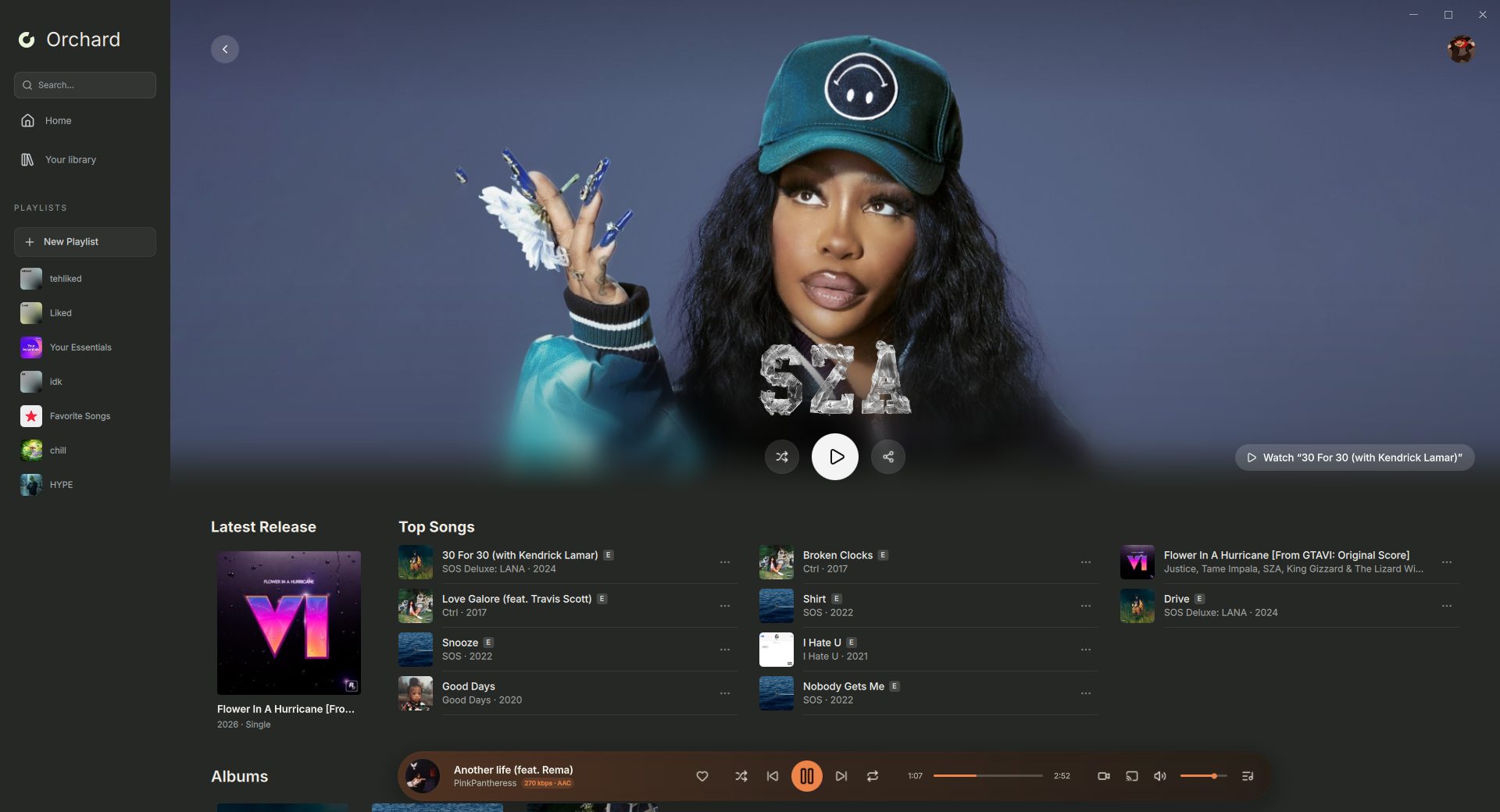
Orchard plays your YouTube Music or Apple Music library on Windows, Linux, and Android, with adaptive mixes, synced lyrics, and lossless audio.
Native Qt 6 interface on a Rust audio core. Under 300 MB of RAM and about 1% CPU on Linux. On-device AI with GPU and NPU acceleration.
Fullscreen player
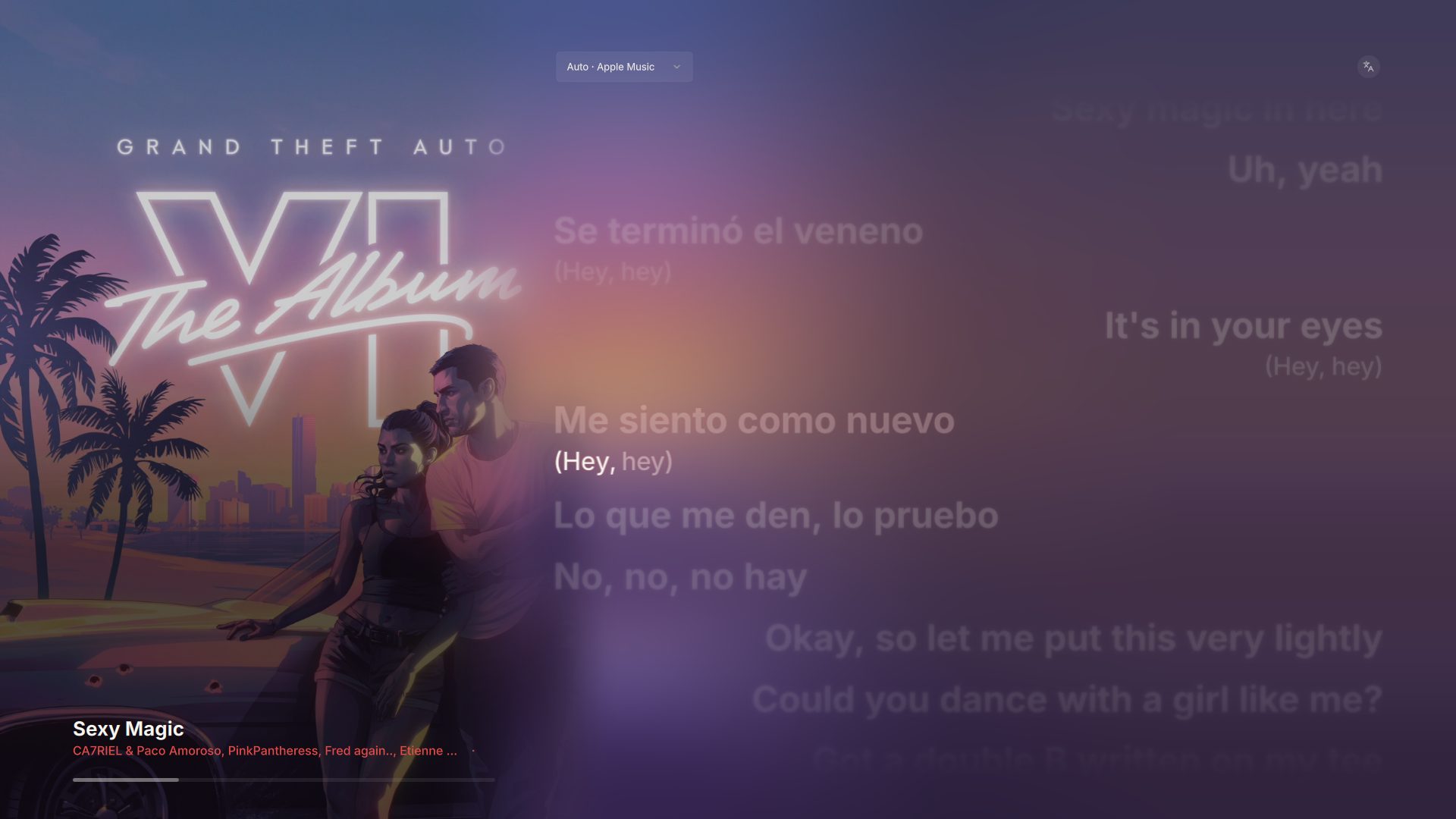
On desktop, click the cover art in the player bar, or press F, to open it. Space plays or pauses, Esc closes it.
- Synced lyrics
- Line by line, with optional English translation.
- Animated artwork
- Moving covers and backgrounds that take their colors from the music.
- Music videos
- Switch from the song to its video and back at the same position.
Adaptive mix
Matches beats and phrases, balances the blend, and shapes the transition for each pair of songs. Two small models trained for Orchard do the listening, on your device.
| Model | Detects | Size | Per 30 s of audio | Accuracy |
|---|---|---|---|---|
| Nirovi | Beats and downbeats | 7.9 MB | 18 ms on a Dimensity 7300 NPU | 87.9% beat F1 on 1,000 held-out GTZAN tracks |
| Syvenu | Vocals | 2.3 MB | 13 ms on a Snapdragon 7 Gen 1 NPU | 0.877 F1 on jam-alt, ahead of UMX-HQ (0.860), the model it learned from |
Locked kicks
Kick drums are lined up by listening to the audio, so both beats hit together.
One bassline
Partway through the blend the old bass drops out and the new one comes in.
Vocal-aware
Avoids two vocals at once and avoids starting the next song mid-line.
Best Mix
Sorts upcoming songs by tempo, key, energy, and production style.
Syvenu reads the spectrogram Nirovi already made, so vocals cost no second pass over the audio. Desktop runs Nirovi on the GPU. Standard crossfade blends over a fixed 1 to 12 seconds, and gapless playback minimizes pauses between tracks. Desktop Adaptive mix requires FFmpeg.
On your phone too
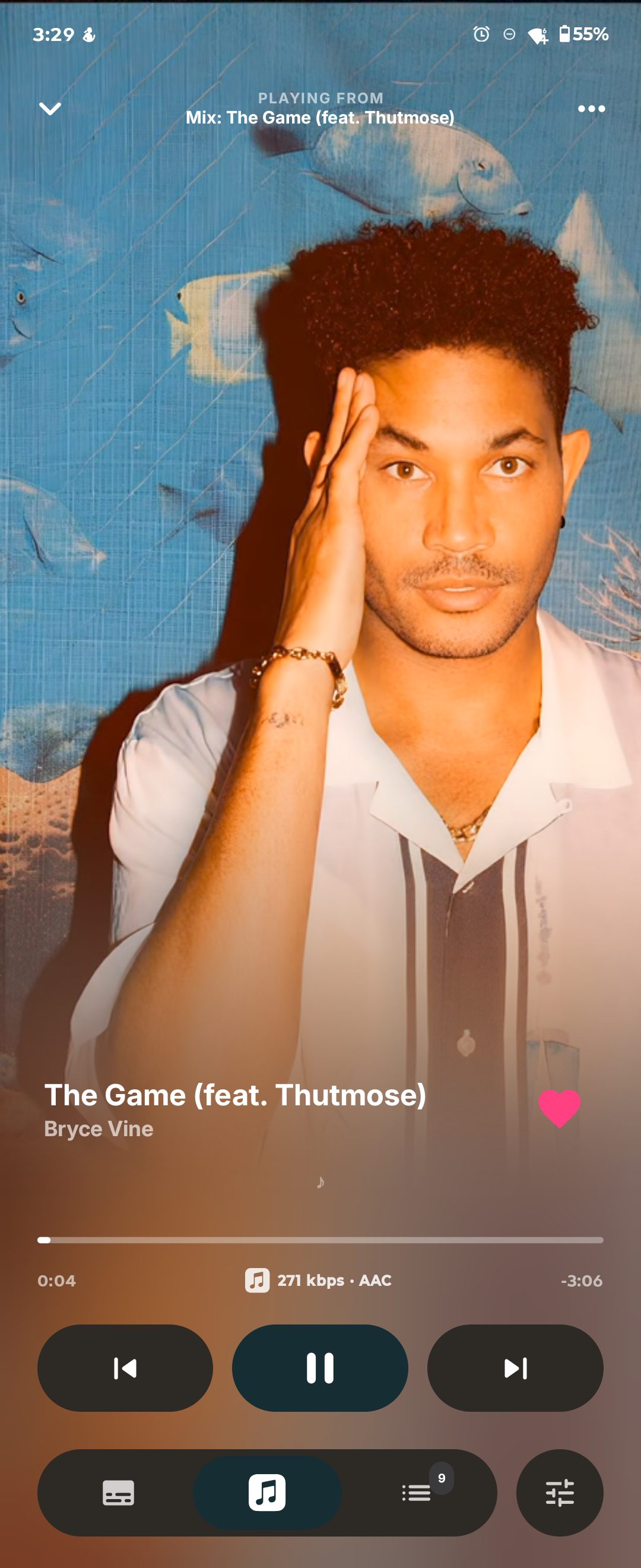
Orchard Mobile plays directly on Android, with Smart Crossfade, synced lyrics, and animated artwork.
Orchard Connect
Control your computer from your phone, or your phone from your computer, on the same network or over the internet.
Two music sources
Bring your YouTube Music or Apple Music library. Each page stays with one service.
Lossless and Hi-Res
Connect your own Qobuz subscription and pick MAX quality.
Shape the sound
10-band equalizer, automatic EQ, dynamic leveling, and per-song gain.
Offline downloads
Save songs, albums, and playlists for listening without a connection.
Android Auto and Chromecast
Browse and search by voice in the car, or move the queue to Cast speakers.

Download Orchard
Open source, with a source-available mix engine, for Windows, Linux, and Android. Managed desktop installs check for updates automatically.
| Platform | Download | Version |
|---|---|---|
 Windows | 2.0.2-canary.1, x64 | |
 Linux | 2.0.2-canary.1, x64 | |
 Android | 2.0.0-beta.11, Android 12 or later |
 AppImage
 Arch package
Installing on Windows
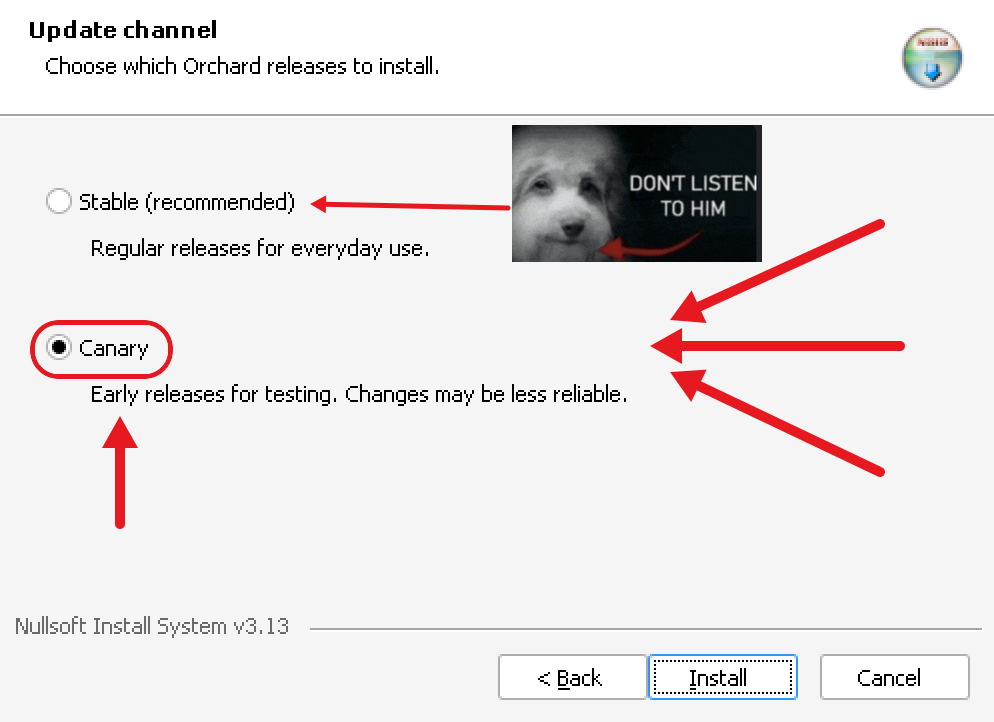
Keep Canary selected on the installer's update channel page.
The portable .7z needs no install: extract it and run Orchard.exe.
Running on Linux
Allow the file to run as a program in your file manager, or run these in your download folder.
AppImage
chmod +x Orchard-Linux-x86_64.AppImage
./Orchard-Linux-x86_64.AppImage
Installer
chmod +x orchard
./orchard --channel canary
./orchard
Arch package (pacman handles updates)
sudo pacman -U orchard-git-2.0.2.canary.1.r745.g37de2720-1-x86_64.pkg.tar.zst